
Every tool for your PDFs and files
69 free, simple tools. Everything happens in your browser: your files are never uploaded and no account is needed.
See all tools
69 tools
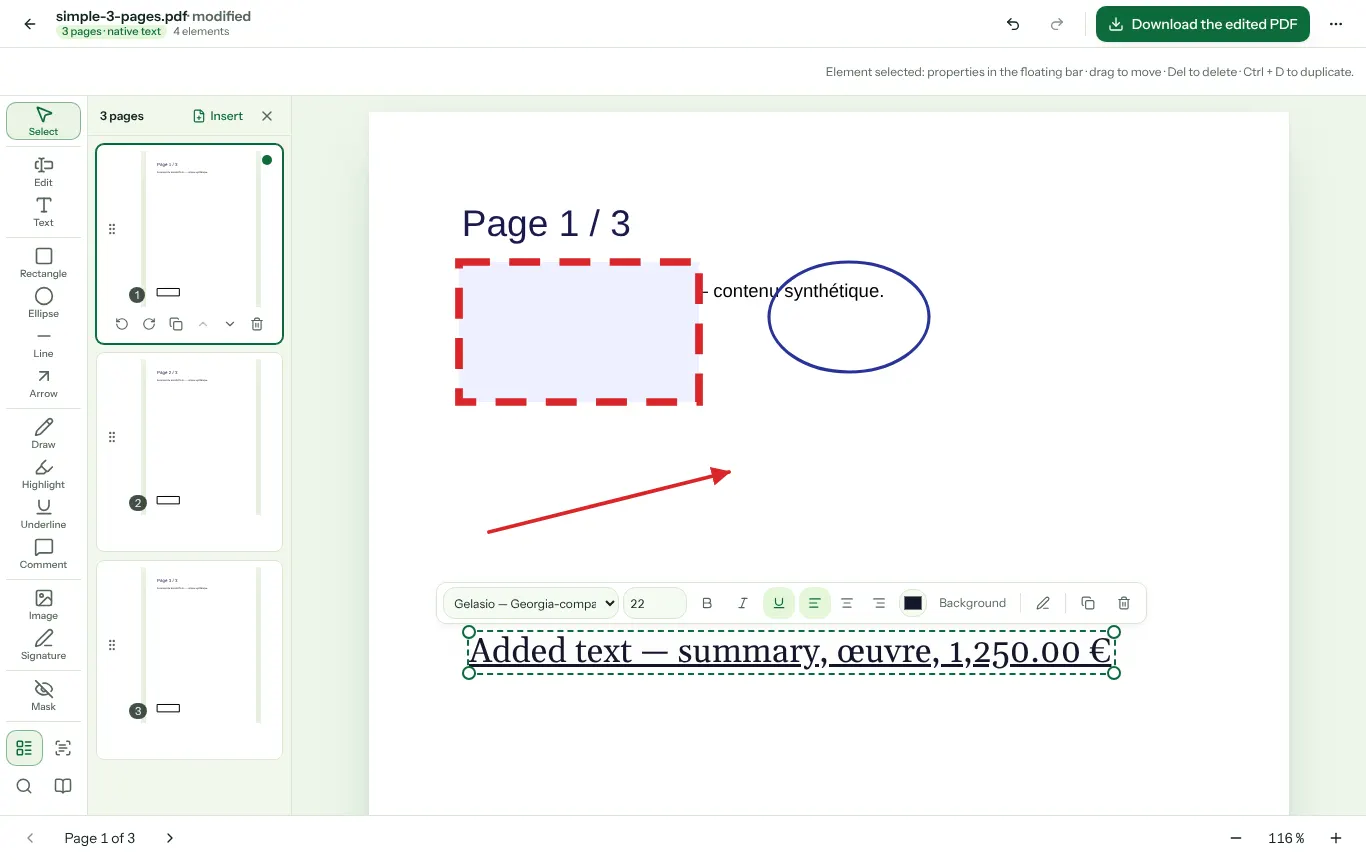
- Edit a PDFEdit existing text, add text, annotations, shapes, images and a signature.
- Merge PDFsCombine several PDF files into a single document, in the order you choose.
- Compress a PDFReduce a PDF's file size by cleaning its structure and recompressing its images, with a transparent report.
- Split a PDFCut a PDF into several files based on page ranges you define.
- Sign a PDFDraw or import your signature, place it and export the signed document.
- Convert PDF to WordRecover the text and images of a PDF in an editable Word document (.docx), without uploading the file.
- Convert Word to PDFTurn a Word document (.docx) into a PDF that opens anywhere: headings, paragraphs, lists, tables and images, without uploading the file.
- Scan a documentPhotograph your pages with your phone, check them, crop or straighten, then get a multi-page PDF.
- OCR: recognize text in a PDF or imageExtract the text from a scan or photo (French, English) and create a searchable PDF.
- Convert a PDF to imagesTurn every page of a PDF into a JPG, PNG or WebP image at the resolution of your choice.
- Convert images to PDFCombine photos or JPG, PNG, WebP images into one PDF, one page per image, in the order you choose.
- Compress an imageReduce the file size of your JPG, PNG or WebP photos, one at a time or in batches, while controlling the quality.
- Organize PDF PagesReorder, rotate or delete pages from thumbnails.
- Rotate a PDFRotate all pages, a selection or individual pages by 90°, 180° or 270°.
- Extract PDF PagesSelect pages from thumbnails or by range and export them to a new PDF.
- Add Text to a PDFPlace text anywhere on your pages: size, color, font and alignment.
- Annotate a PDFHighlight, underline, draw, comment and add shapes to your PDFs.
- Add a Watermark to a PDFApply a text or image watermark, with adjustable opacity, rotation, size and position.
- Manage a PDF WatermarkRemove a watermark added with AVEROPDF or an identifiable "Watermark" annotation, when it can be done without damaging the document.
- Fill a PDF FormDetect the interactive fields of a PDF form, fill them in and export.
- Extract text from a PDFGet all the text of a PDF as TXT or Markdown, page by page.
- Search inside a PDFFind a word or phrase in a PDF, with the page and context of every match.
- Crop a PDFRemove the margins of a PDF by defining the area to keep, with a preview.
- Add page numbers to a PDFAdd page numbers, a date, a file name or custom text in the header and footer.
- Password-protect a PDFEncrypt a PDF (AES-256) with an open password and printing or copying restrictions.
- Unlock a PDFRemove the password and restrictions from a PDF whose password you know.
- Check and repair a PDFDiagnose the structure of a PDF (syntax errors, encryption, version) and get a rewritten copy when possible.
- PDF metadataView, edit or remove the metadata of a PDF (title, author, software, dates).
- Extract links from a PDFList every clickable link, web address and email in a PDF, page by page, as TXT or CSV.
- Extract images from a PDFRecover the photos and illustrations embedded in a PDF in their original quality (JPG, PNG).
- Compare two PDFsSpot the text differences between two versions of a PDF, page by page, additions in green and deletions in red.
- Redact a PDF (remove information)Permanently hide names, numbers or areas of a PDF: the hidden text is actually removed, not just covered up.
- Fix a photographed documentStraighten a sheet photographed at an angle: corner detection, manual adjustment, perspective and contrast correction.
- Resize an imageChange the dimensions of an image by width, height, percentage or maximum size, keeping the proportions.
- Crop an imageCut out an area of your image, freely or to a ratio (square, 16:9, 4:3, A4...).
- Convert an image (JPG, PNG, WebP)Convert your images to JPG, PNG or WebP, one at a time or in batches, transparency included.
- Rotate or flip an imageRotate your images by 90°, 180° or 270° and flip them horizontally or vertically, in batches.
- View and remove EXIF metadataSee what a photo reveals (camera, date, GPS location) and remove that metadata without recompressing the image.
- Add a watermark to an imageStamp text (name, ©, "confidential") on your photos, in a corner, in the center or tiled, in batches.
- Convert Excel or CSV to PDFTurn an Excel workbook (.xlsx) or a CSV file into paginated PDF tables, one sheet after another, without uploading the file.
- Word CounterCount words, characters, sentences and paragraphs, with an estimated reading time.
- Change Text CaseConvert a text to UPPERCASE, lowercase, Sentence case, Title Case, snake_case, kebab-case or camelCase.
- Clean Up TextRemove extra spaces, blank lines and duplicates, rejoin lines broken by a PDF, sort lines.
- Compare Two TextsHighlight the differences between two texts, by lines, words or characters.
- URL Slug GeneratorTurn a title into a clean URL slug: lowercase, no accents, words separated by hyphens.
- JSON Formatter and ValidatorIndent, validate (with the line and column of the error), minify or convert JSON to CSV.
- Convert CSV to JSONTurn a CSV file (separator detected automatically) into a JSON array of objects.
- Base64 Encoder and DecoderConvert text (UTF-8) or a file to Base64, and decode a Base64 string, URL-safe variant included.
- URL Encoder and DecoderConvert the special characters of a text to %XX (percent-encoding) and decode an encoded URL.
- HTML Escape and UnescapeConvert <, >, &, quotes into HTML entities (<, &…) and back.
- UUID GeneratorGenerate one or a hundred random UUID v4 identifiers, lowercase or uppercase, with or without hyphens.
- Password GeneratorCreate strong, random passwords (length, character types, ambiguous characters excluded) with their entropy.
- Compute SHA-256 / SHA-1 / SHA-512 HashCompute the hash of a text or a file (SHA-256, SHA-1, SHA-384, SHA-512) and compare it with an expected checksum.
- Regular Expression TesterTest a JavaScript regex live: highlighted matches, captured groups, flags, replacement.
- Unix Timestamp ConverterConvert a Unix timestamp (seconds or milliseconds) into a readable date and back, with time zone and ISO 8601.
- Percentage CalculatorWork out X% of a number, a share of a total, a change between two values, a discount or the price before an increase.
- VAT CalculatorConvert between net and gross amounts with the French VAT rates (20, 10, 5.5, 2.1%) or a custom rate.
- Days Between Dates & Working DaysCount calendar and working days between two dates, add working days to a date, and list French public holidays.
- Unit ConverterConvert lengths, masses, temperatures, volumes, areas, speeds, data, durations and energies.
- QR Code GeneratorCreate a QR code for a link, text, Wi-Fi network or contact card, as PNG or SVG.
- Read a QR Code from an ImageDecode a QR code from a photo or screenshot, with no app needed: link, Wi-Fi, text, contact.
- Barcode GeneratorCreate EAN-13, EAN-8, UPC-A, Code 128 and Code 39 barcodes as PNG or SVG, with the check digit calculated.
- Color Converter & Contrast CheckerConvert a color between HEX, RGB, HSL and CMYK, get its shades and check WCAG contrast.
- Extract an Image's Color PaletteGet the dominant colors of a photo or logo in HEX and RGB, with their share, and export them as CSS variables.
- Convert Markdown to PDFTurn Markdown text (headings, lists, tables, code, links) into a clean, paginated PDF.
- Convert Text to PDFTurn plain text (.txt, notes, a copied email) into a paginated PDF with the font and margins of your choice.
- Printable Paper: Grid, Lined, DottedGenerate PDF sheets of grid, lined, dotted, Seyès, millimeter, isometric or music staff paper.
- Printable Calendar (Month or Year)Create a monthly calendar PDF with a notes area, or a whole year on one page, with French public holidays marked.
- PDF Cover PageCompose a clean cover page (title, subtitle, author, institution, date) to merge with your document.
Not sure which tool to pick?
Drop your file: its type is recognised and the matching tools are suggested.
Drop a file here and we will suggest the right tools
PDF, image, HEIC photo, Word, Excel, CSV, Markdown or text · the file stays on your device
The PDF editor, with no software and no upload
- Edit existing text
- Annotate, sign, draw
- Pages, OCR and a verified export
Why AVEROPDF
Local processing
Your documents are opened and transformed by your browser. They never leave your device.
No account, no waiting
No sign-up, no queue, no trial limit: the tool opens and gets to work.
Open libraries
pdf.js, pdf-lib, Tesseract: proven open-source software, hosted by the site itself, with no third-party service.
Frequently asked questions
- Are my files uploaded to a server?
- No. The tools run in your browser: the file is read on your device, transformed by code running locally, and the result is produced in the same place. You can check it in your browser's Network tab.
- Do I need an account or to install anything?
- No. No sign-up, no extension, no app. A web page is enough, including on a phone.
- What are the size limits?
- Limits depend on your device's memory more than on the site: up to 100 MB and 1,000 pages per PDF, 50 MB per image. Each tool page lists its limits and accepted formats.
- Is AVEROPDF really free?
- Yes, every published tool is free, needs no account and adds no watermark. The site shows no advertising.